
Introducing Composer: A New Way to Create Content


We've completely reimagined how you create content. The complex forms with dozens of fields are gone. Say hello to Composer, a conversational interface that makes content creation feel as natural as chatting with a colleague.
What's New
Conversational Content Creation
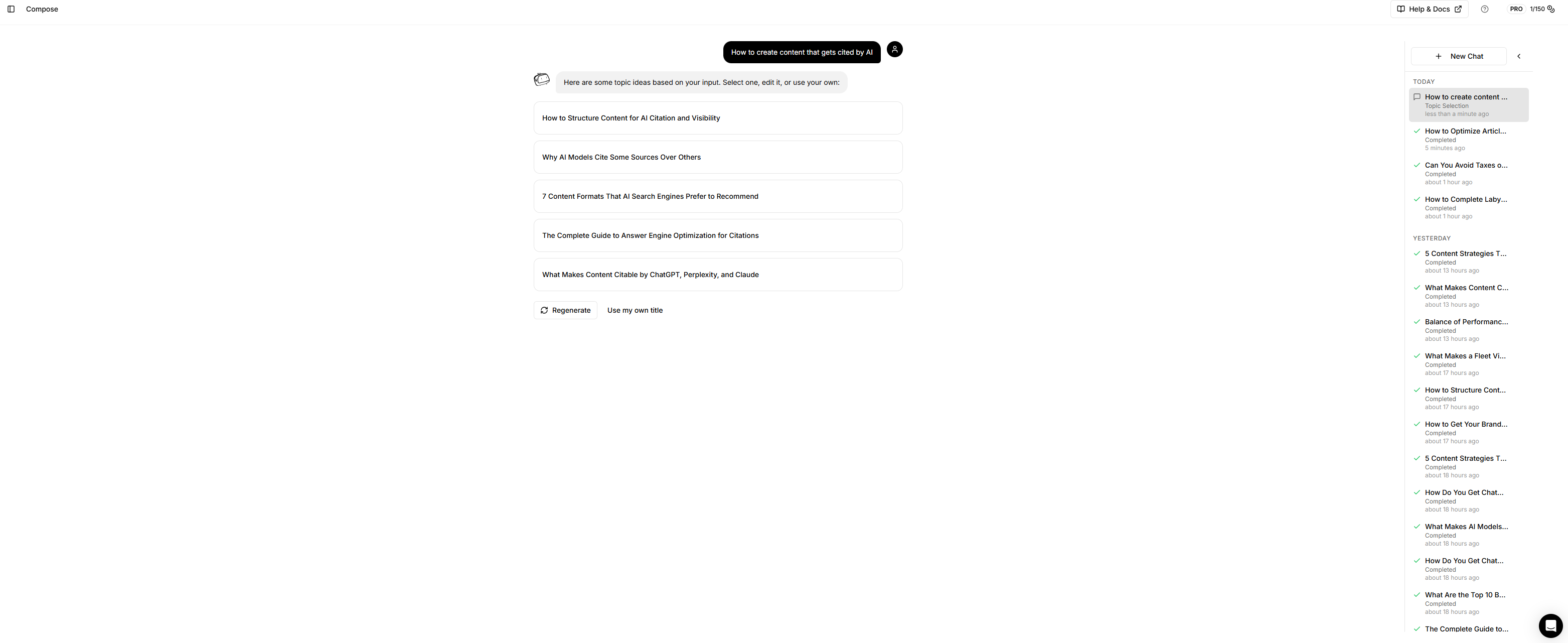
Composer replaces our old form-based content creation with a chat-style interface. Just describe what you want to write about in plain English, and Composer guides you through the rest.
No more staring at empty form fields wondering what to put where. Simply type something like:
-
"I want to write about LLM SEO strategies for e-commerce"
-
"How small businesses can compete with enterprise brands in AI search"
-
"A guide to optimizing product pages for ChatGPT citations"
Composer understands your intent and takes it from there.
Write About Exactly What You Want
The old system forced you into rigid content types and structures. Composer adapts to your vision.
When you describe your topic, Composer generates multiple angle suggestions. These are different ways to approach your subject. Pick one that resonates, edit it to make it yours, or write your own from scratch. You're in complete control of the direction.
Want to write a controversial take? A beginner's guide? An expert-level deep dive? Just say so. Composer doesn't box you in.
A Simple 5-Step Flow
-
Describe your topic - Tell Composer what you want to write about
-
Pick your angle - Choose from AI-suggested directions or use your own
-
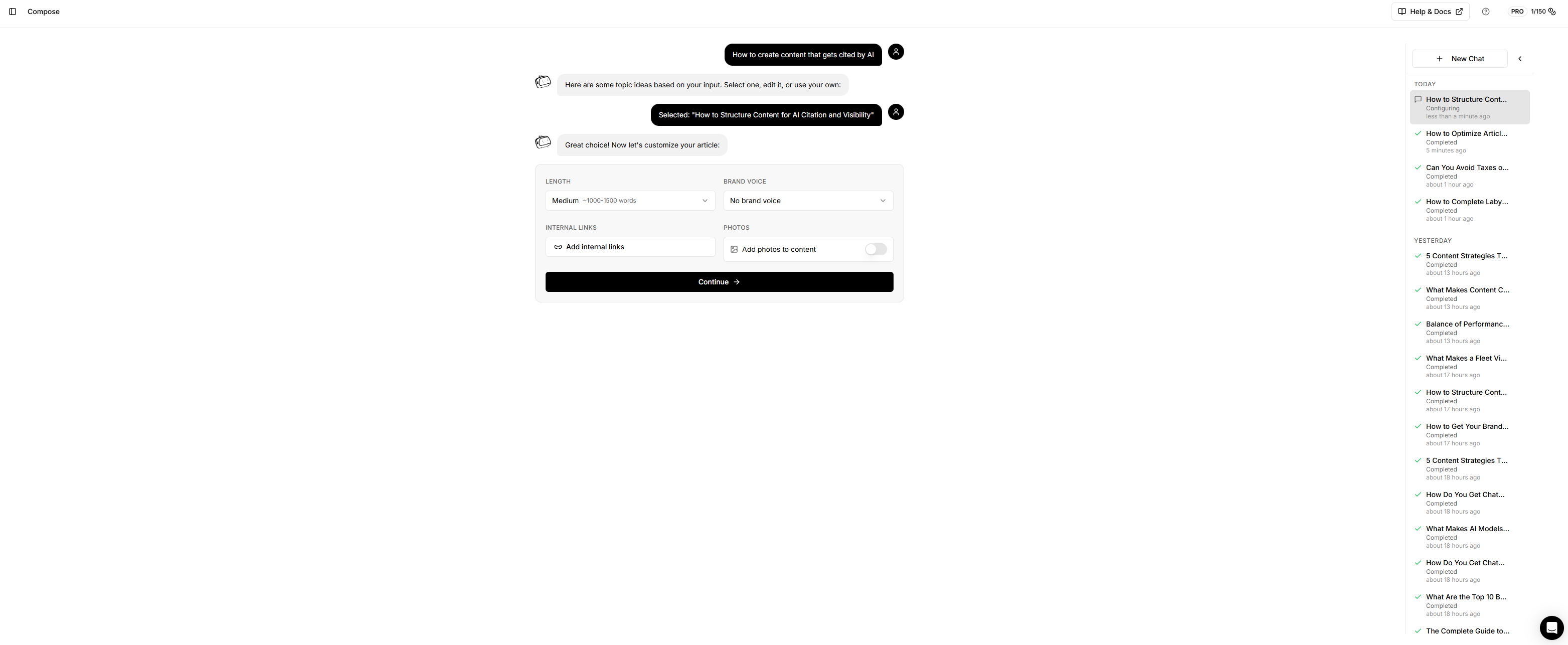
Configure settings - Select length, brand voice, photos, and internal links
-
Review the brief - See exactly what will be written before generation
-
Generate - One click and your article is created and saved
That's it. No more jumping between tabs, no more 15-field forms, no more guessing what "primary keyword density" means.
True Brand Voice Control
Your Brand Kit now works seamlessly with Composer. Select your brand preset and every piece of content automatically adopts:
-
Your writing style and tone
-
Your preferred terminology
-
Your formatting preferences
-
Your unique perspective and values
Write like yourself, every time, without manually configuring tone, style, and voice on every article.
Transparent Brief Review
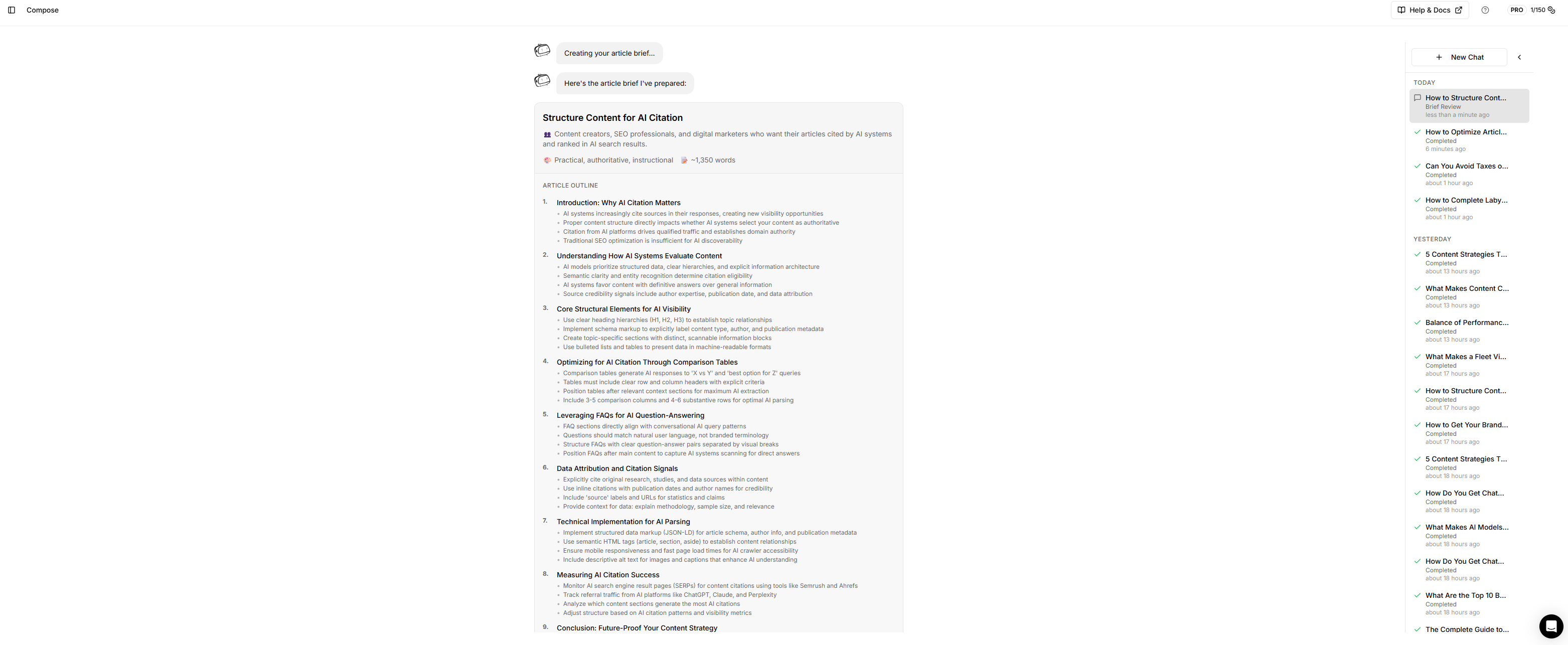
Before spending a single credit on generation, you see exactly what Composer will create:
-
Article title and structure - The complete outline with section headings
-
Target audience - Who the content is written for
-
Tone - How the article will feel
-
Word count - Estimated length based on your settings
-
Comparison tables - What data will be compared (if applicable)
-
FAQs - Questions that will be answered for maximum AEO impact
-
Research topics - What Perplexity will research for accurate, current data
Don't like something? Use "Suggest changes" to refine the brief in natural language:
-
"Add more focus on beginners"
-
"Include a section about pricing"
-
"Make it more actionable"
Composer updates the brief based on your feedback. Approve it only when it's exactly what you want.
Built for AEO (Answer Engine Optimization)
Every article Composer creates is structured for AI systems to understand, cite, and reference:
-
Direct answer patterns - Clear, citable responses that AI can extract
-
Structured sections - Logical hierarchy that AI systems parse easily
-
Comparison tables - Data-rich content AI loves to cite
-
FAQ sections - Question-answer pairs that match how users query AI
-
Research-backed content - Perplexity researches your topics for current, accurate data with proper citations
-
Entity clarity - Clear identification of people, brands, and concepts
You're not just writing content. You're creating assets designed to appear in AI search results.
Session Management
Life happens. Composer automatically saves your progress so you can:
-
Close your browser and pick up where you left off
-
Work on multiple articles simultaneously
-
Review and resume past sessions from the sidebar
Every session is preserved with your messages, selected topic, settings, and brief.
What We Removed
-
Complex multi-tab forms
-
Content type selection (Standard Article, Blog Post, How-To Guide, etc.)
-
Author Presets (schema markup handled differently now)
-
Simple vs. Advanced mode toggle
-
Dozens of optional fields that created decision fatigue
We stripped away the complexity so you can focus on what matters: creating great content.
The Bottom Line
Composer makes content creation fast, intuitive, and genuinely enjoyable.
Describe what you want. Pick a direction. Review the plan. Generate.
It's that simple.